Beeswarm Plots with plotnine-extra
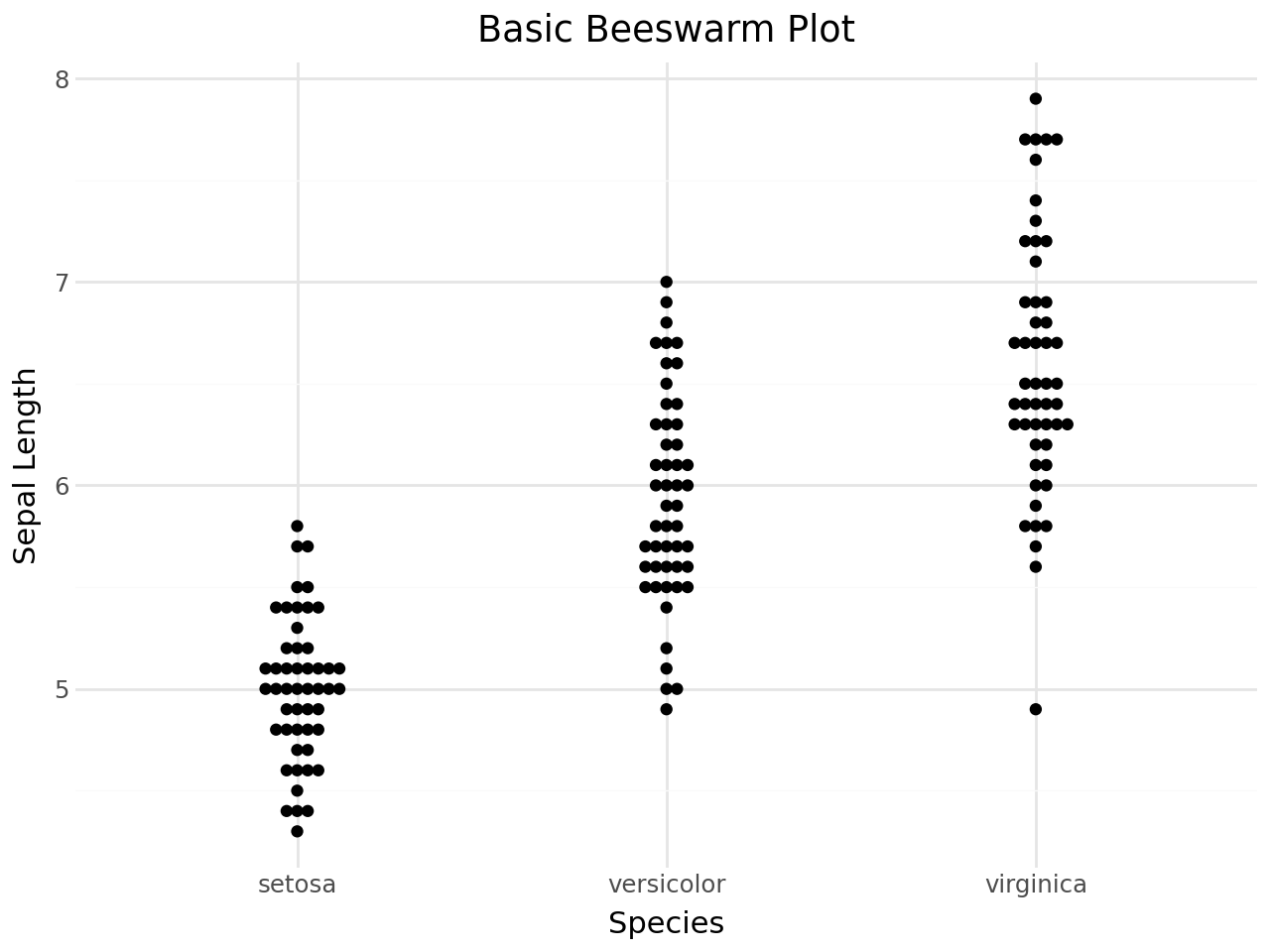
Beeswarm plots display individual observations along a categorical axis. Points are offset to reduce overlap, so dense regions remain visible without replacing observations with a summary statistic.
plotnine-extra provides two geoms ported from the R package ggbeeswarm:
geom_beeswarm()for collision-avoiding point placement.geom_quasirandom()for density-aware quasi-random jitter.
Libraries and data
The examples use the Iris dataset, with measurements for three iris species.
[1]:
from plotnine_extra import (
    ggplot,
    aes,
    geom_beeswarm,
    geom_quasirandom,
    geom_boxplot,
    geom_violin,
    labs,
    theme_minimal,
    scale_color_brewer,
    scale_fill_brewer,
    coord_flip,
    guides,
    guide_legend,
)
from plotnine_extra.data import iris

iris.head()
[1]:
| sepal_length | sepal_width | petal_length | petal_width | species | |
|---|---|---|---|---|---|
| 0 | 5.1 | 3.5 | 1.4 | 0.2 | setosa |
| 1 | 4.9 | 3.0 | 1.4 | 0.2 | setosa |
| 2 | 4.7 | 3.2 | 1.3 | 0.2 | setosa |
| 3 | 4.6 | 3.1 | 1.5 | 0.2 | setosa |
| 4 | 5.0 | 3.6 | 1.4 | 0.2 | setosa |
Basic beeswarm plot
Map a categorical variable to x and a continuous variable to y. The geom offsets points just enough to reduce overlap.
[2]:
(
    ggplot(iris, aes(x="species", y="sepal_length"))
    + geom_beeswarm()
    + labs(
        title="Basic Beeswarm Plot",
        x="Species",
        y="Sepal Length",
    )
    + theme_minimal()
)
[2]:
Coloring by group
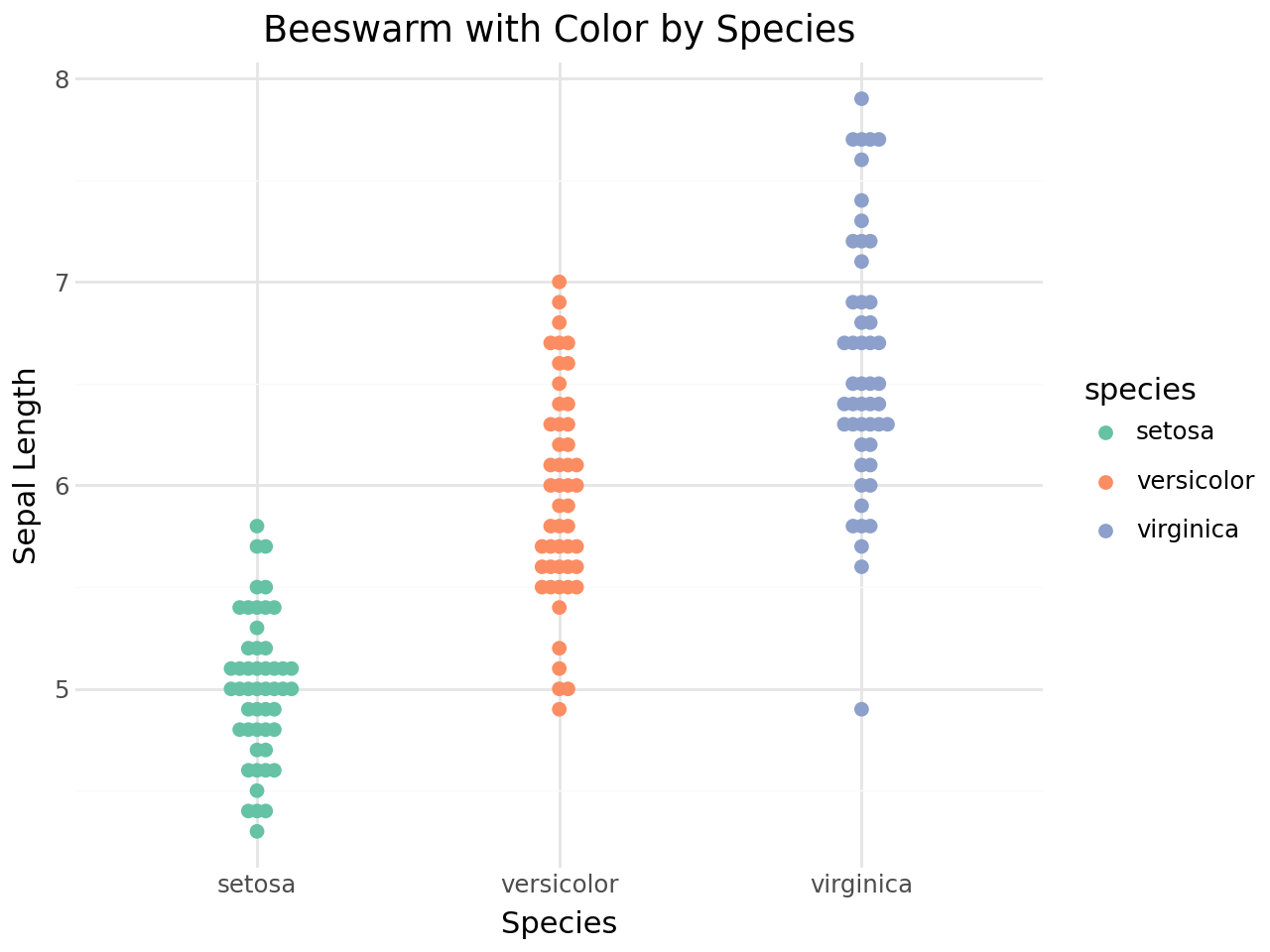
Map the color aesthetic to the grouping variable to distinguish species.
[3]:
(
    ggplot(iris, aes(x="species", y="sepal_length", color="species"))
    + geom_beeswarm(size=2)
    + scale_color_brewer(type="qual", palette="Set2")
    + labs(
        title="Beeswarm with Color by Species",
        x="Species",
        y="Sepal Length",
    )
    + theme_minimal()
)
[3]:
The cex parameter
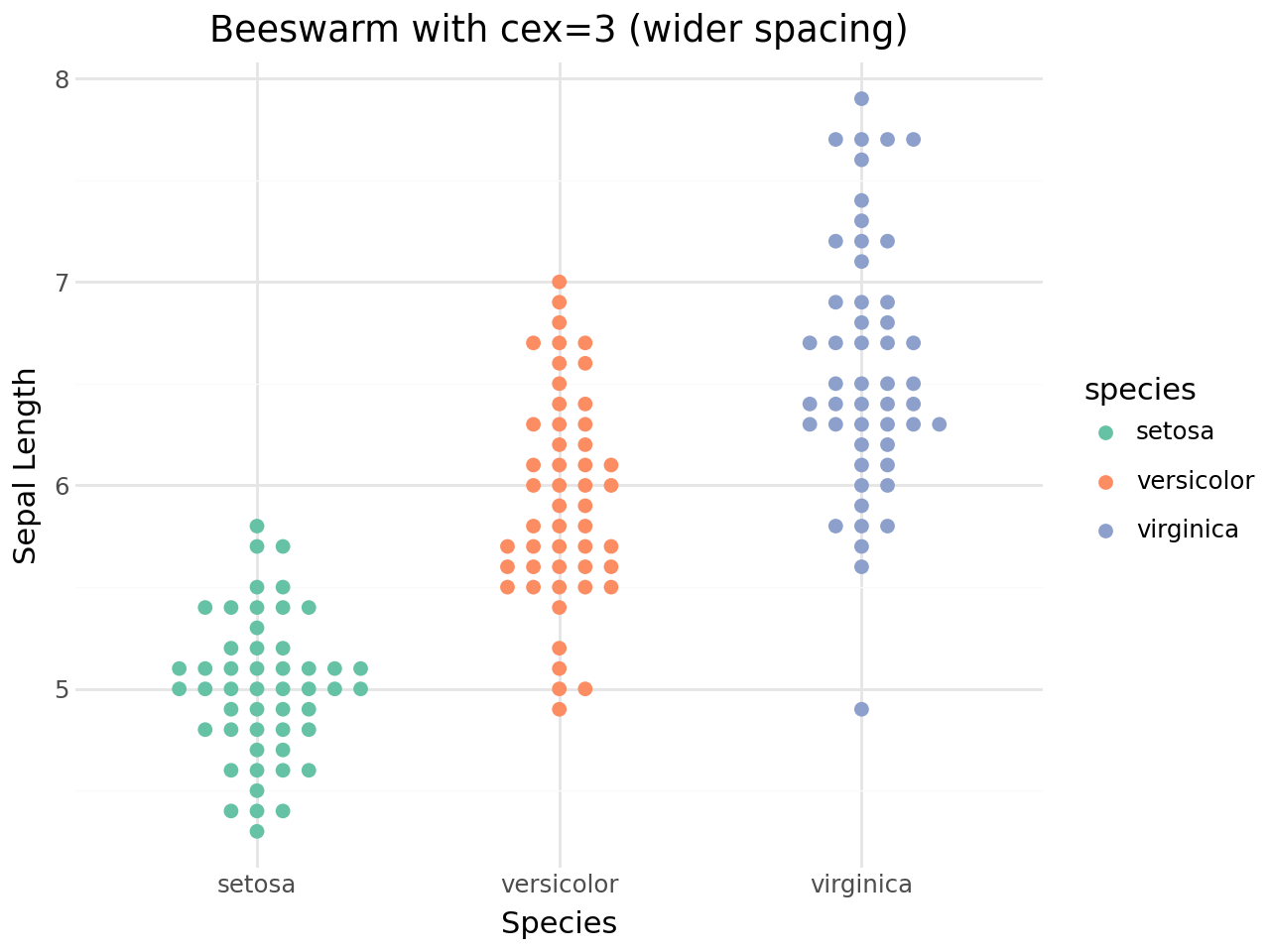
cex controls spacing between points. Higher values spread points farther apart; lower values pack them more tightly.
[4]:
(
    ggplot(iris, aes(x="species", y="sepal_length", color="species"))
    + geom_beeswarm(cex=3, size=2)
    + scale_color_brewer(type="qual", palette="Set2")
    + labs(
        title="Beeswarm with cex=3 (wider spacing)",
        x="Species",
        y="Sepal Length",
    )
    + theme_minimal()
)
[4]:
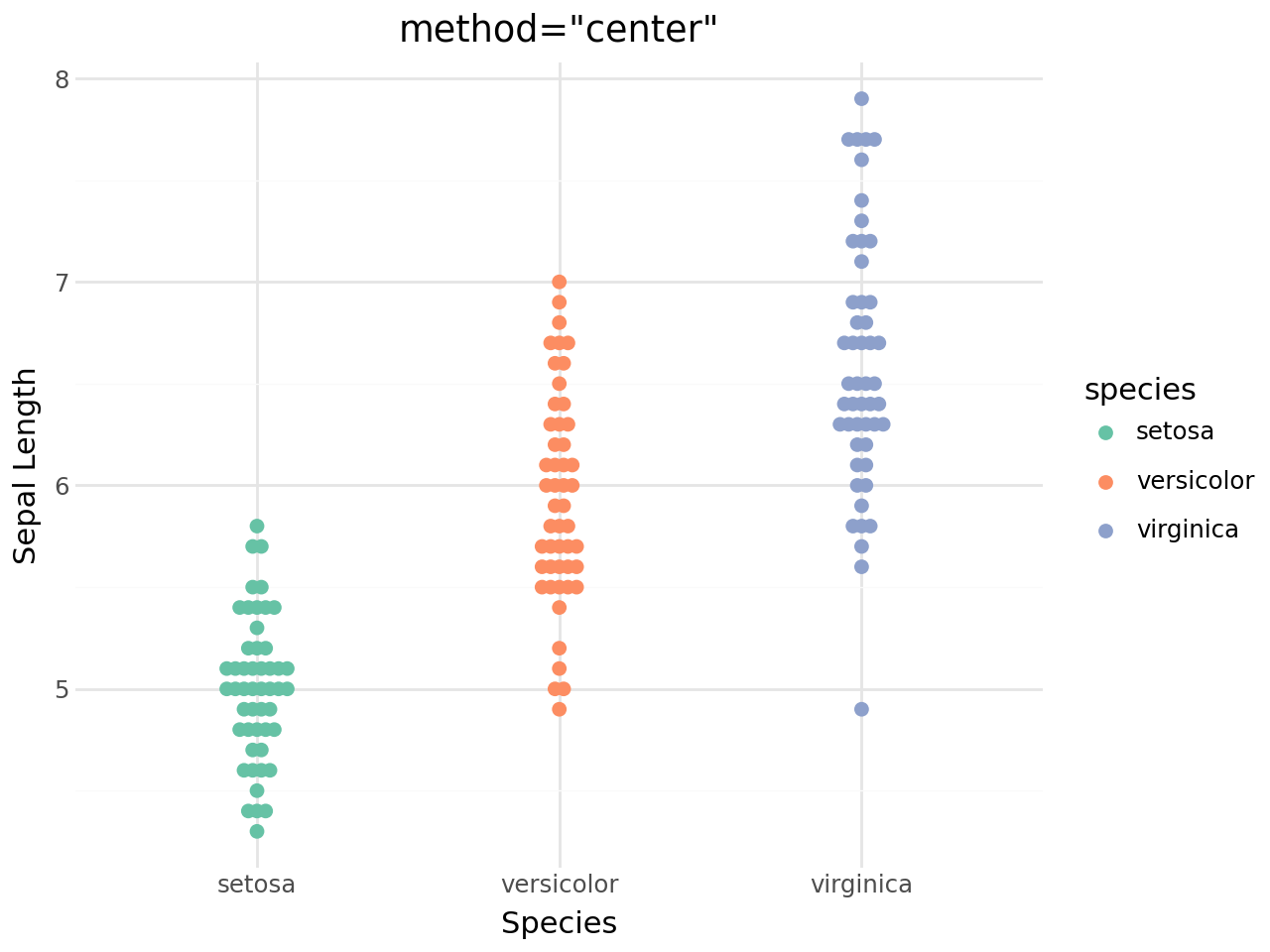
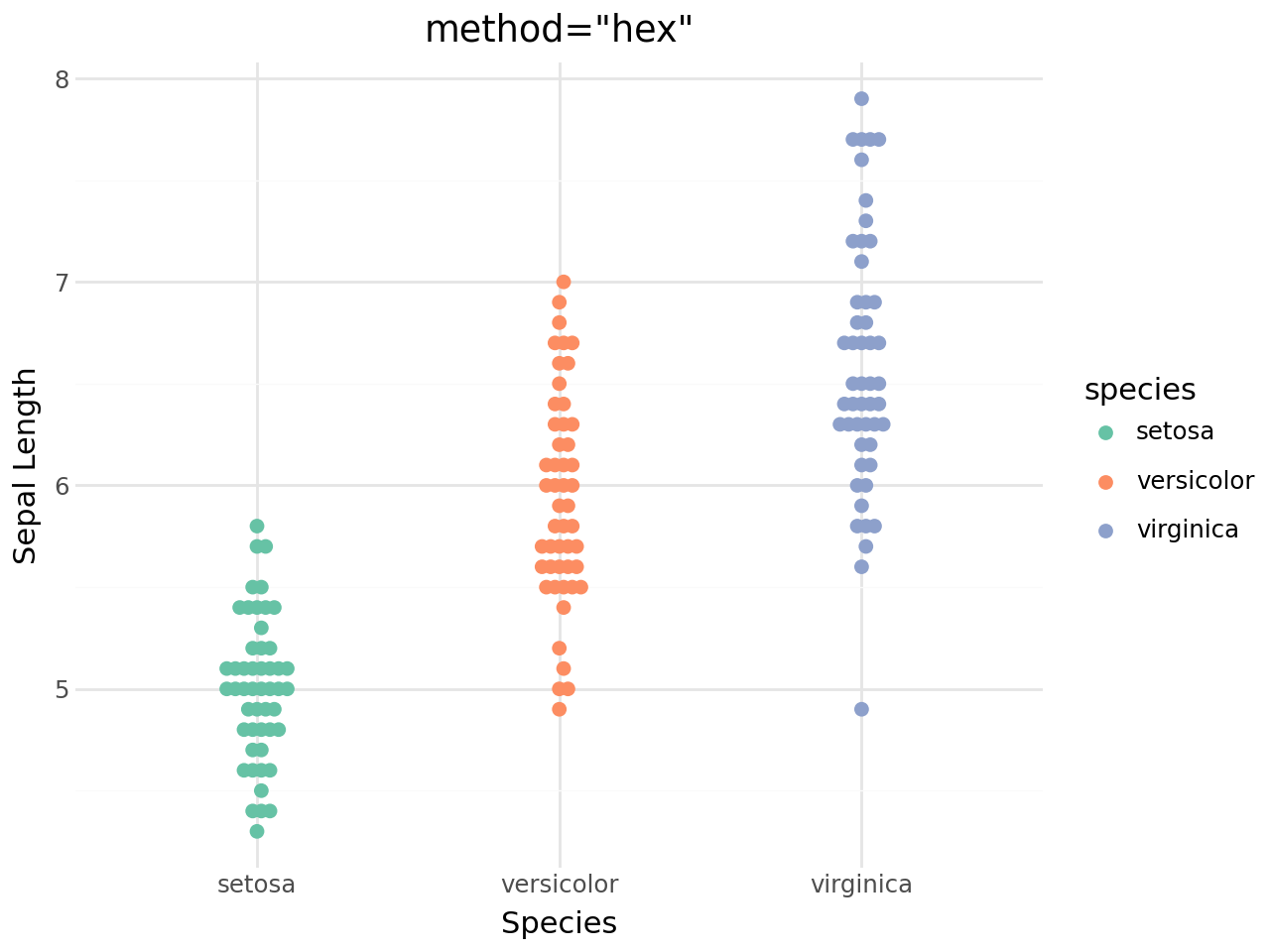
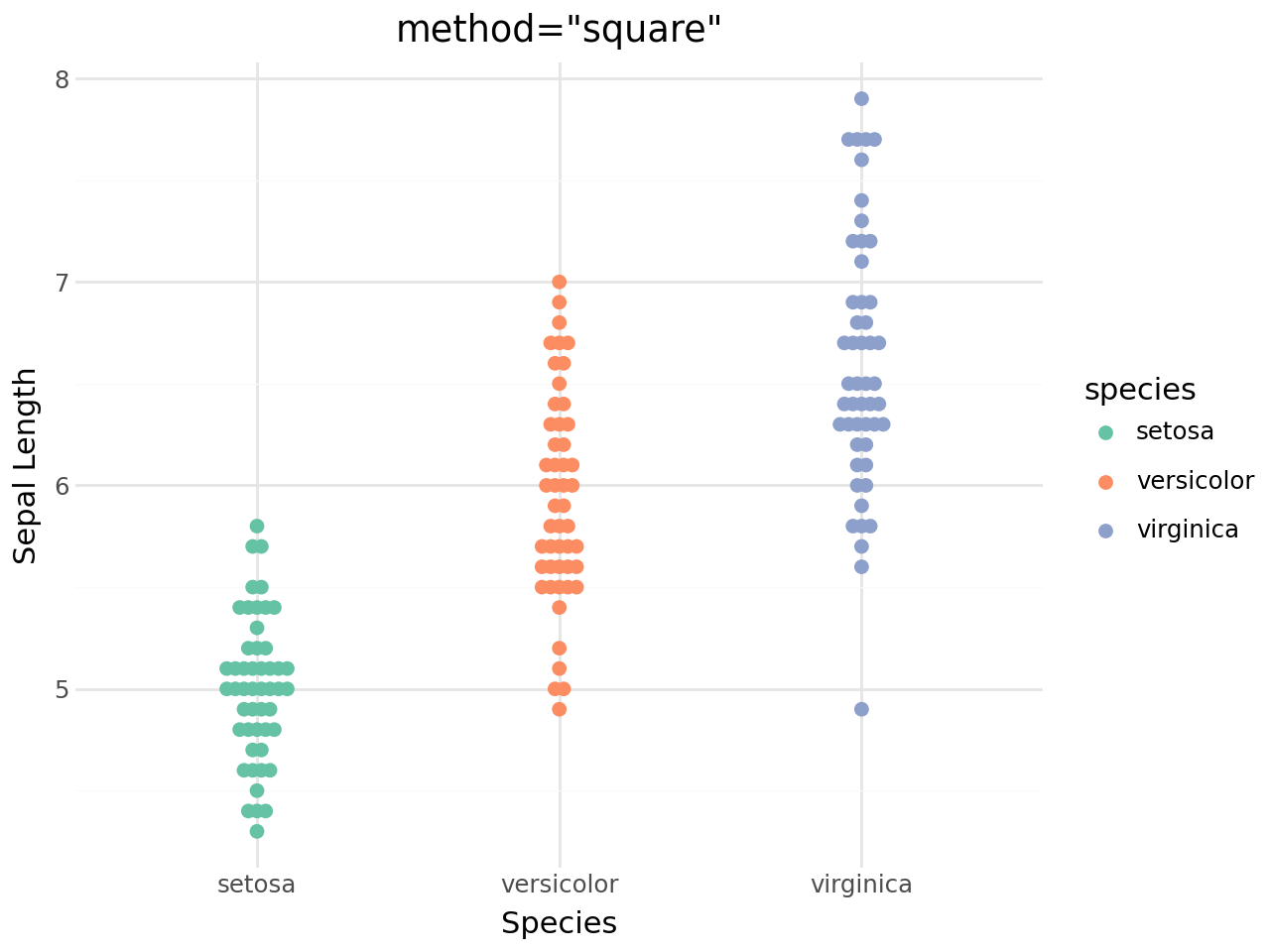
Beeswarm methods
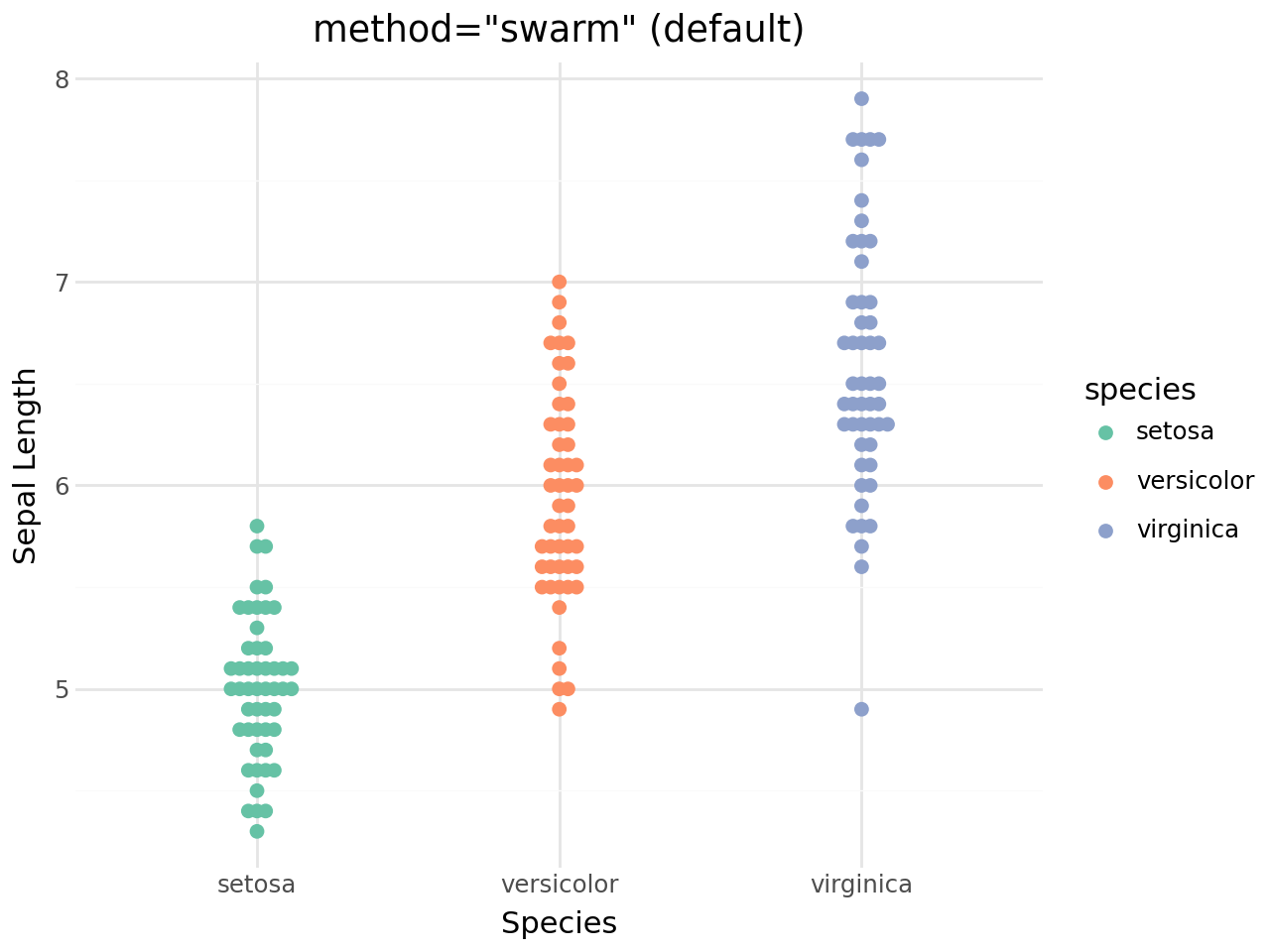
geom_beeswarm() supports five layout methods:
Method |
Description |
|---|---|
|
Default: shifts points sideways to avoid overlap |
|
Tighter packing variant |
|
Square grid, centred |
|
Hexagonal grid |
|
Regular square grid |
[5]:
(
    ggplot(iris, aes(x="species", y="sepal_length", color="species"))
    + geom_beeswarm(method="swarm", size=2)
    + scale_color_brewer(type="qual", palette="Set2")
    + labs(
        title='method="swarm" (default)',
        x="Species",
        y="Sepal Length",
    )
    + theme_minimal()
)
[5]:
[6]:
(
    ggplot(iris, aes(x="species", y="sepal_length", color="species"))
    + geom_beeswarm(method="center", size=2)
    + scale_color_brewer(type="qual", palette="Set2")
    + labs(
        title='method="center"',
        x="Species",
        y="Sepal Length",
    )
    + theme_minimal()
)
[6]:
[7]:
(
    ggplot(iris, aes(x="species", y="sepal_length", color="species"))
    + geom_beeswarm(method="hex", size=2)
    + scale_color_brewer(type="qual", palette="Set2")
    + labs(
        title='method="hex"',
        x="Species",
        y="Sepal Length",
    )
    + theme_minimal()
)
[7]:
[8]:
(
    ggplot(iris, aes(x="species", y="sepal_length", color="species"))
    + geom_beeswarm(method="square", size=2)
    + scale_color_brewer(type="qual", palette="Set2")
    + labs(
        title='method="square"',
        x="Species",
        y="Sepal Length",
    )
    + theme_minimal()
)
[8]:
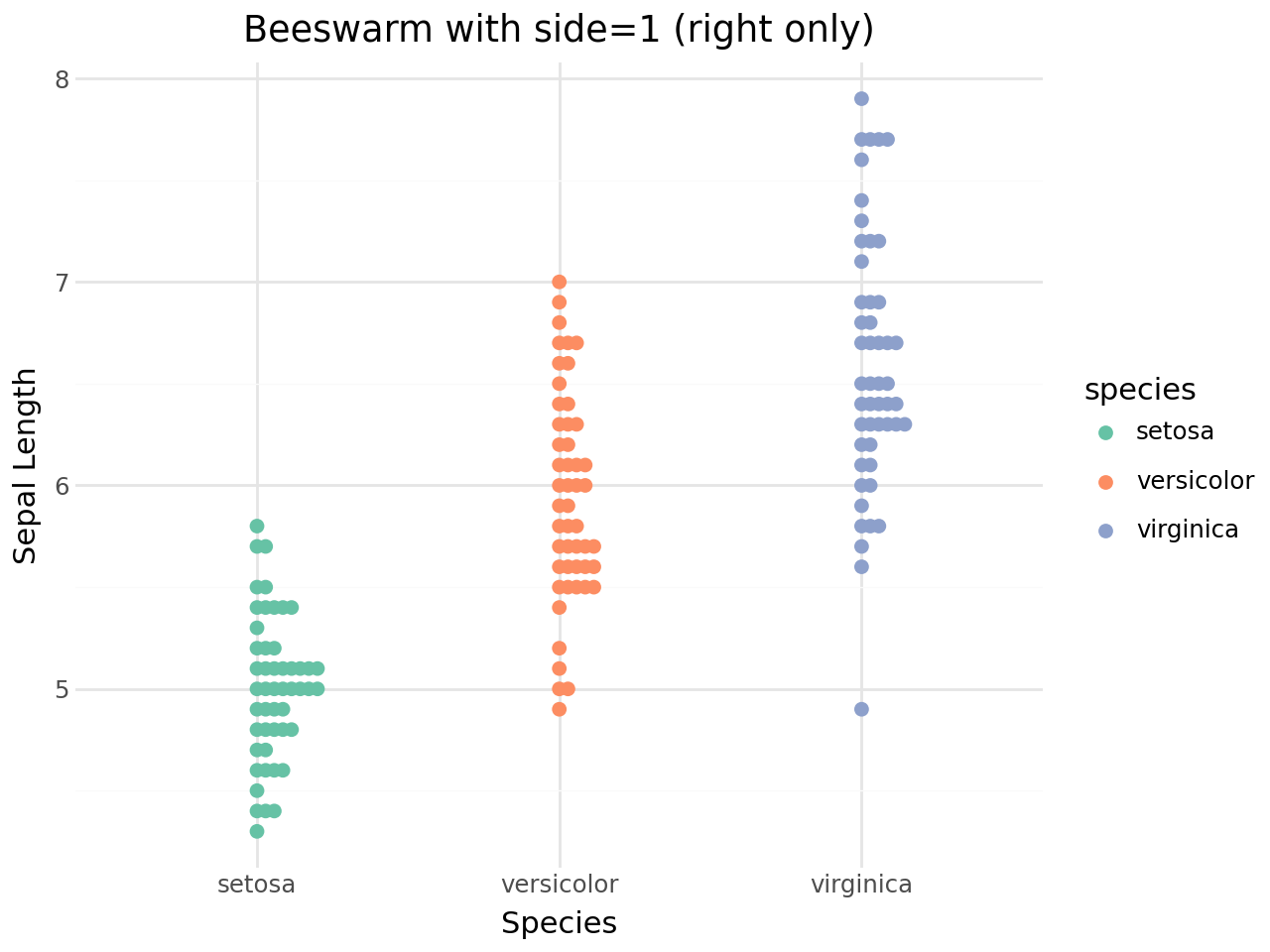
Side control
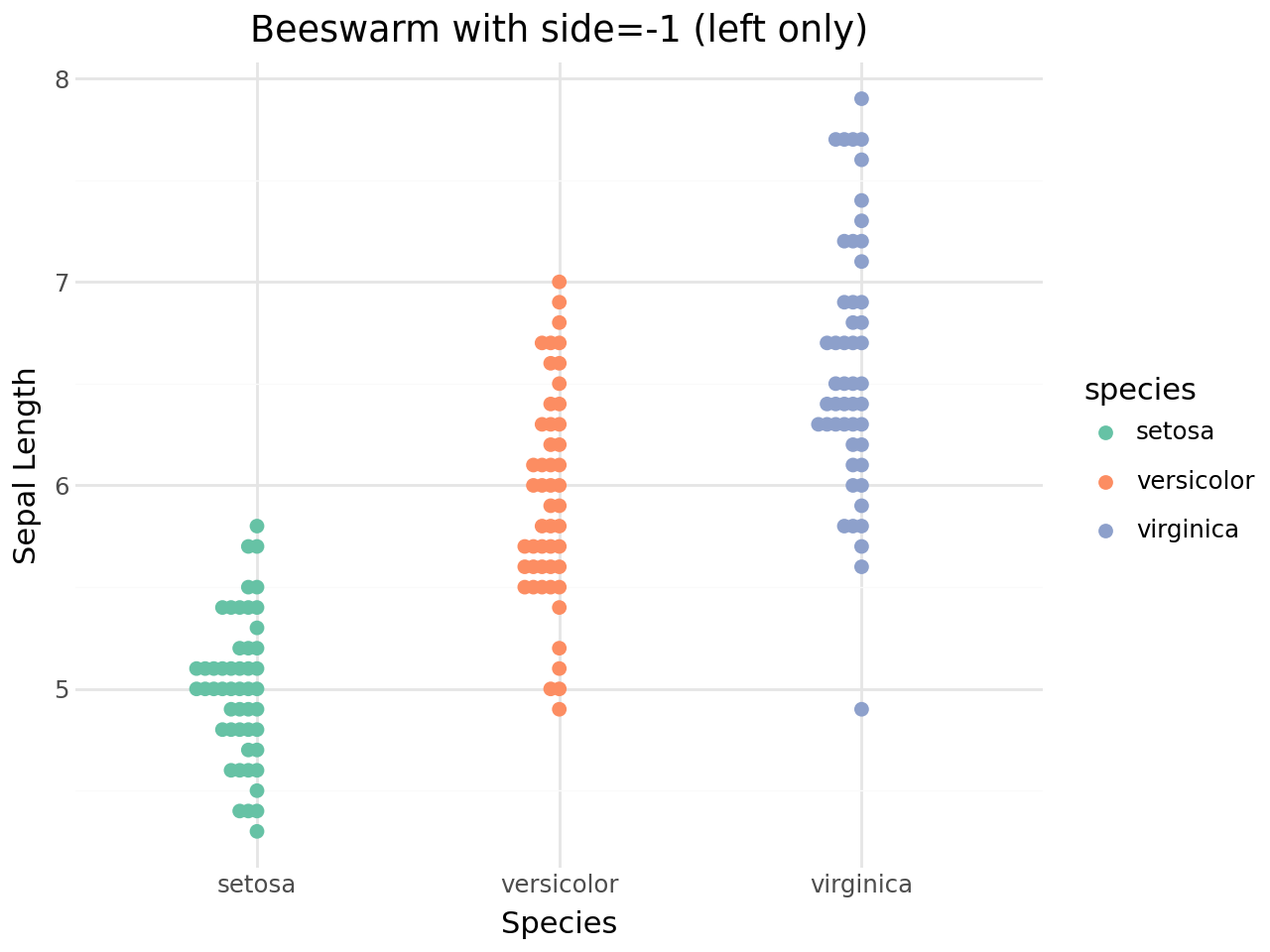
The side parameter determines whether points are spread to both sides of the centre line or to one side only:
side=0: both sides (default)side=1: right / up onlyside=-1: left / down only
[9]:
(
    ggplot(iris, aes(x="species", y="sepal_length", color="species"))
    + geom_beeswarm(side=1, size=2)
    + scale_color_brewer(type="qual", palette="Set2")
    + labs(
        title="Beeswarm with side=1 (right only)",
        x="Species",
        y="Sepal Length",
    )
    + theme_minimal()
)
[9]:
[10]:
(
    ggplot(iris, aes(x="species", y="sepal_length", color="species"))
    + geom_beeswarm(side=-1, size=2)
    + scale_color_brewer(type="qual", palette="Set2")
    + labs(
        title="Beeswarm with side=-1 (left only)",
        x="Species",
        y="Sepal Length",
    )
    + theme_minimal()
)
[10]:
Quasi-random jitter
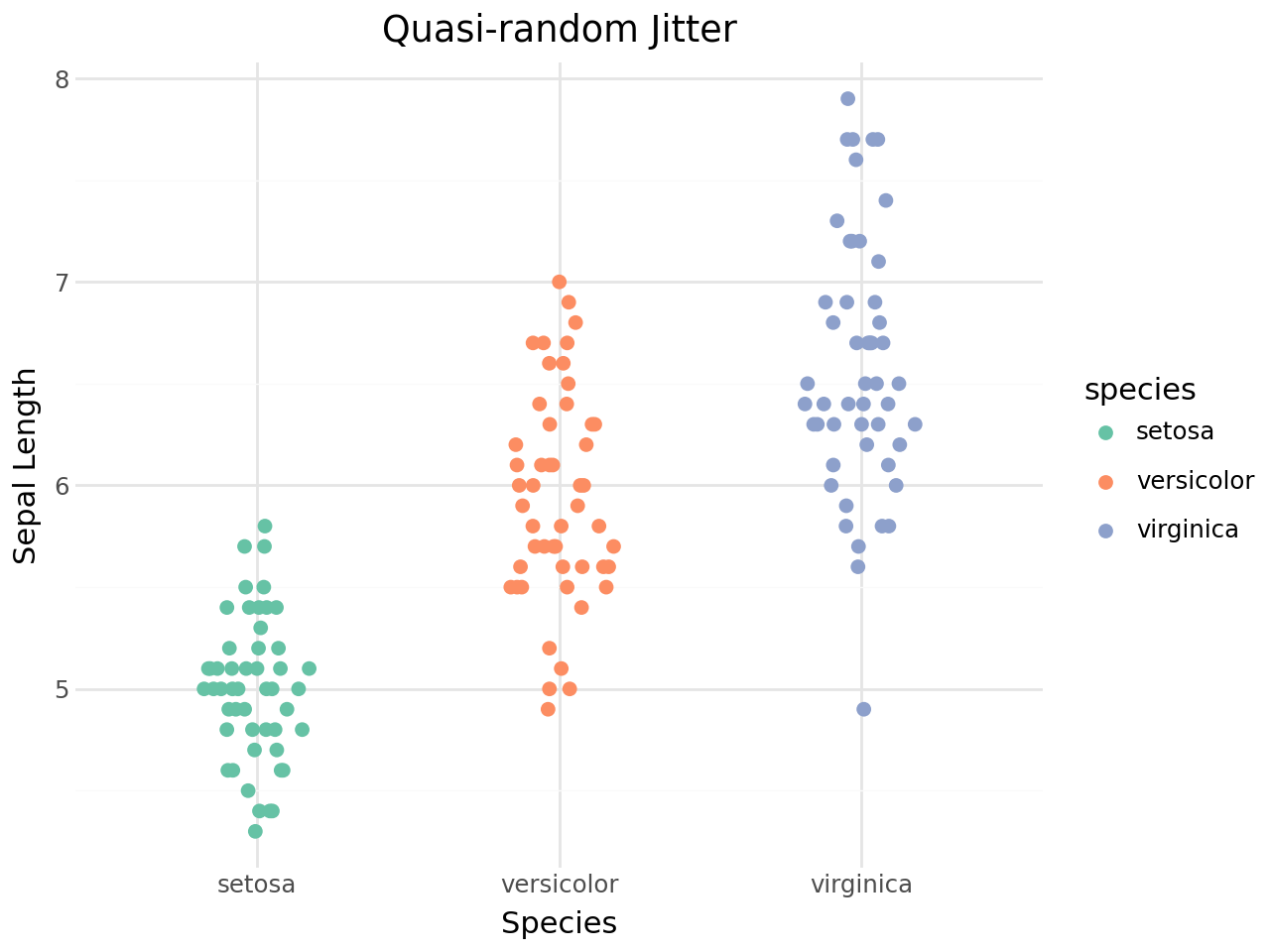
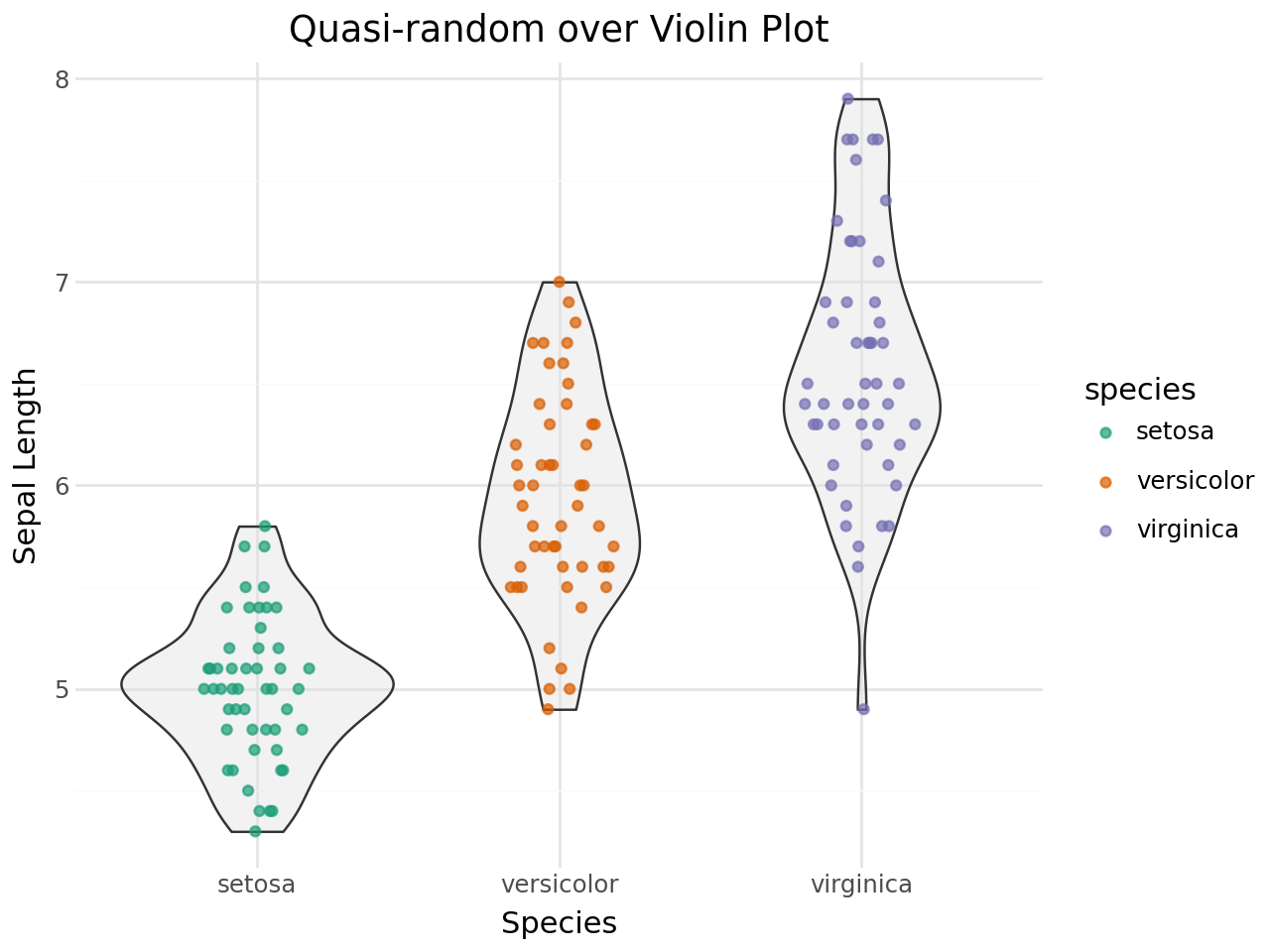
geom_quasirandom() uses a density-aware quasi-random sequence to jitter points. The result resembles a violin plot while retaining each observation.
[11]:
(
    ggplot(iris, aes(x="species", y="sepal_length", color="species"))
    + geom_quasirandom(size=2)
    + scale_color_brewer(type="qual", palette="Set2")
    + labs(
        title="Quasi-random Jitter",
        x="Species",
        y="Sepal Length",
    )
    + theme_minimal()
)
[11]:
Pseudorandom method
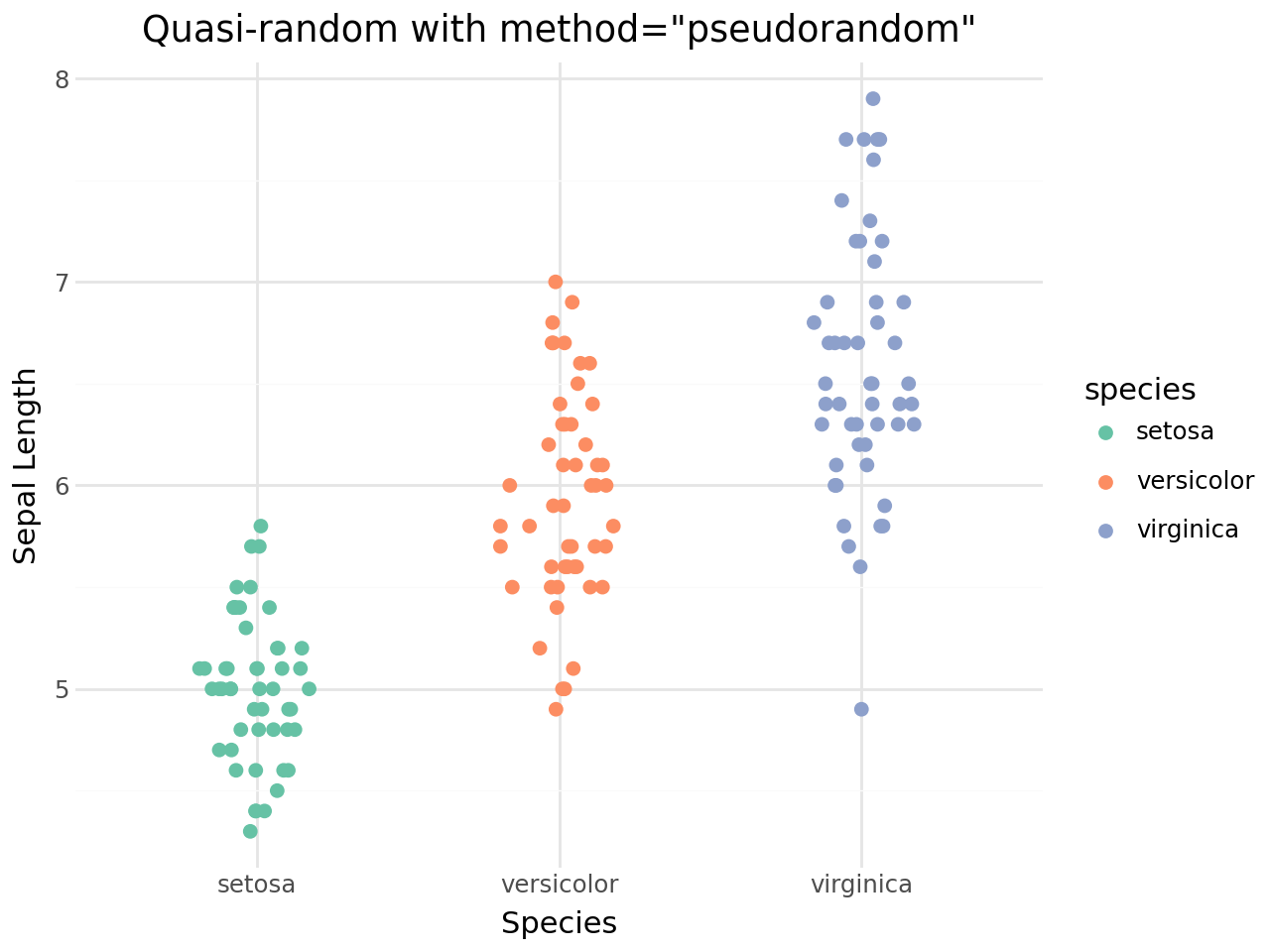
Set method="pseudorandom" for uniform random jitter instead of the quasi-random van der Corput sequence.
[12]:
(
    ggplot(iris, aes(x="species", y="sepal_length", color="species"))
    + geom_quasirandom(method="pseudorandom", size=2)
    + scale_color_brewer(type="qual", palette="Set2")
    + labs(
        title='Quasi-random with method="pseudorandom"',
        x="Species",
        y="Sepal Length",
    )
    + theme_minimal()
)
[12]:
Controlling the jitter width
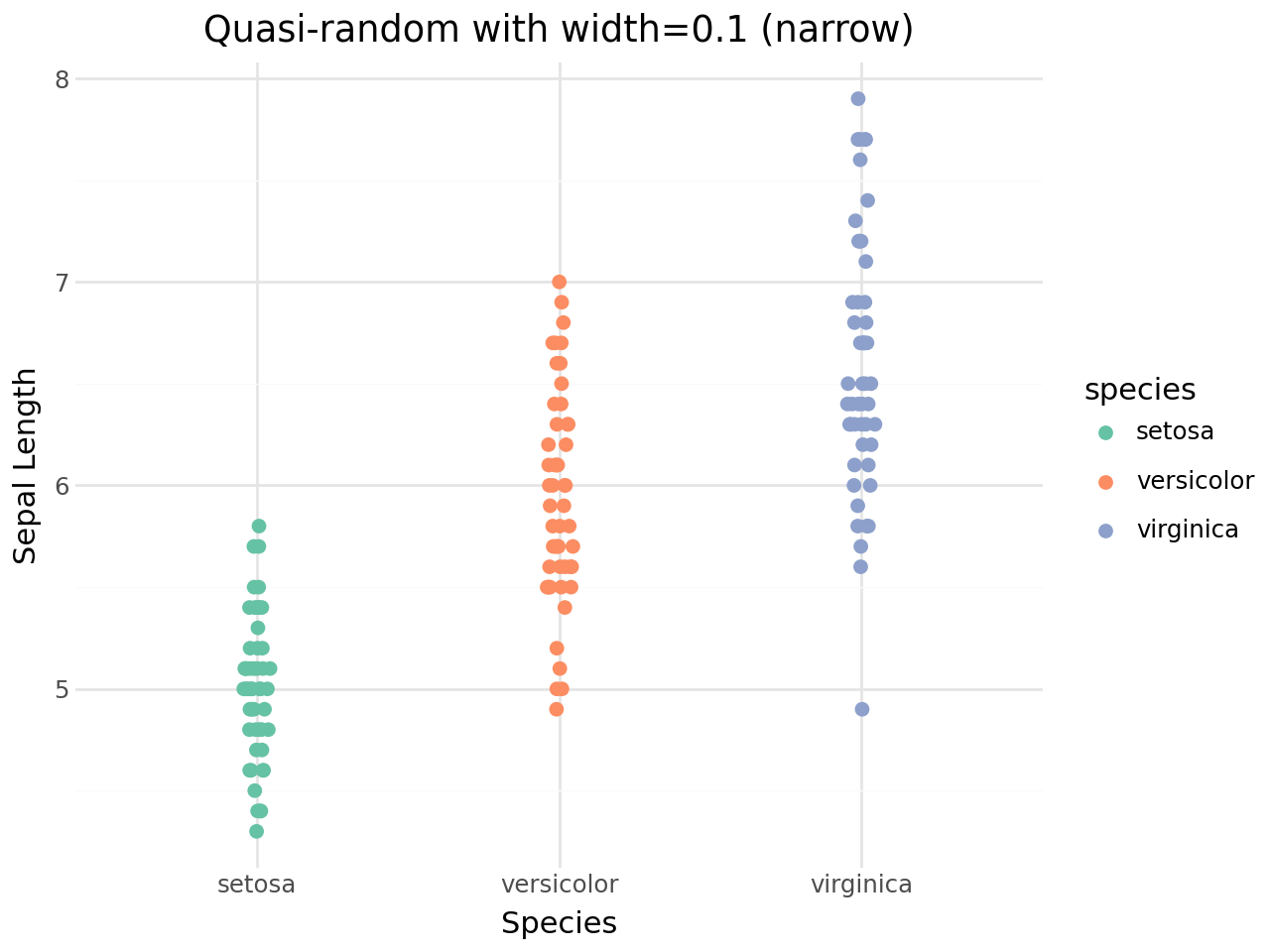
The width parameter sets the maximum horizontal spread.
[13]:
(
    ggplot(iris, aes(x="species", y="sepal_length", color="species"))
    + geom_quasirandom(width=0.1, size=2)
    + scale_color_brewer(type="qual", palette="Set2")
    + labs(
        title="Quasi-random with width=0.1 (narrow)",
        x="Species",
        y="Sepal Length",
    )
    + theme_minimal()
)
[13]:
Combining with other geoms
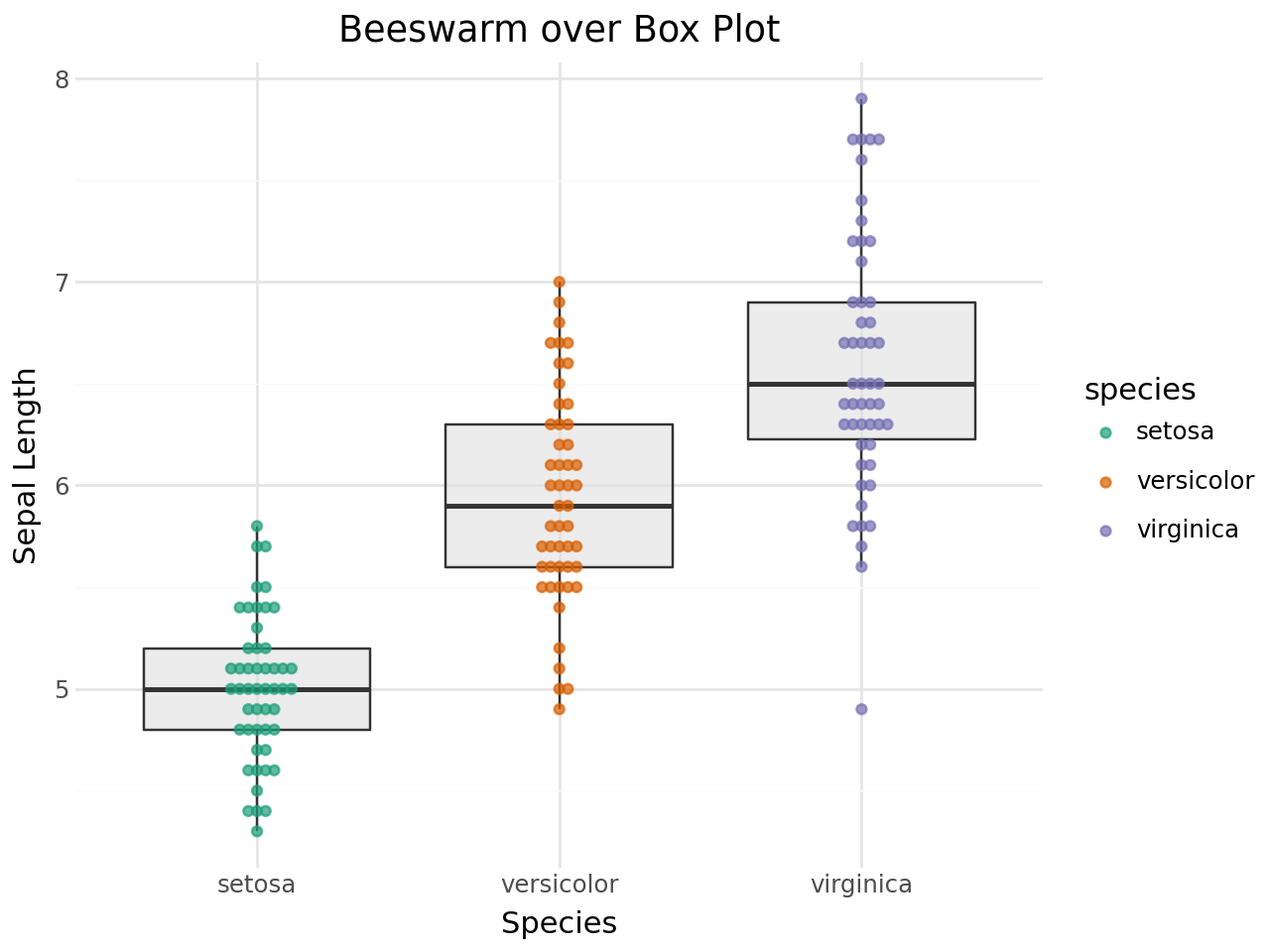
Beeswarm points can be layered on box plots or violin plots to show raw observations alongside distribution summaries.
Beeswarm + Box plot
[14]:
(
    ggplot(iris, aes(x="species", y="sepal_length"))
    + geom_boxplot(outlier_shape="", fill="#e0e0e0", alpha=0.6)
    + geom_beeswarm(aes(color="species"), size=1.5, alpha=0.7)
    + scale_color_brewer(type="qual", palette="Dark2")
    + labs(
        title="Beeswarm over Box Plot",
        x="Species",
        y="Sepal Length",
    )
    + theme_minimal()
)
[14]:
Quasi-random + Violin plot
[15]:
(
    ggplot(iris, aes(x="species", y="sepal_length"))
    + geom_violin(fill="#e0e0e0", alpha=0.4)
    + geom_quasirandom(aes(color="species"), size=1.5, alpha=0.7)
    + scale_color_brewer(type="qual", palette="Dark2")
    + labs(
        title="Quasi-random over Violin Plot",
        x="Species",
        y="Sepal Length",
    )
    + theme_minimal()
)
[15]:
Horizontal beeswarm
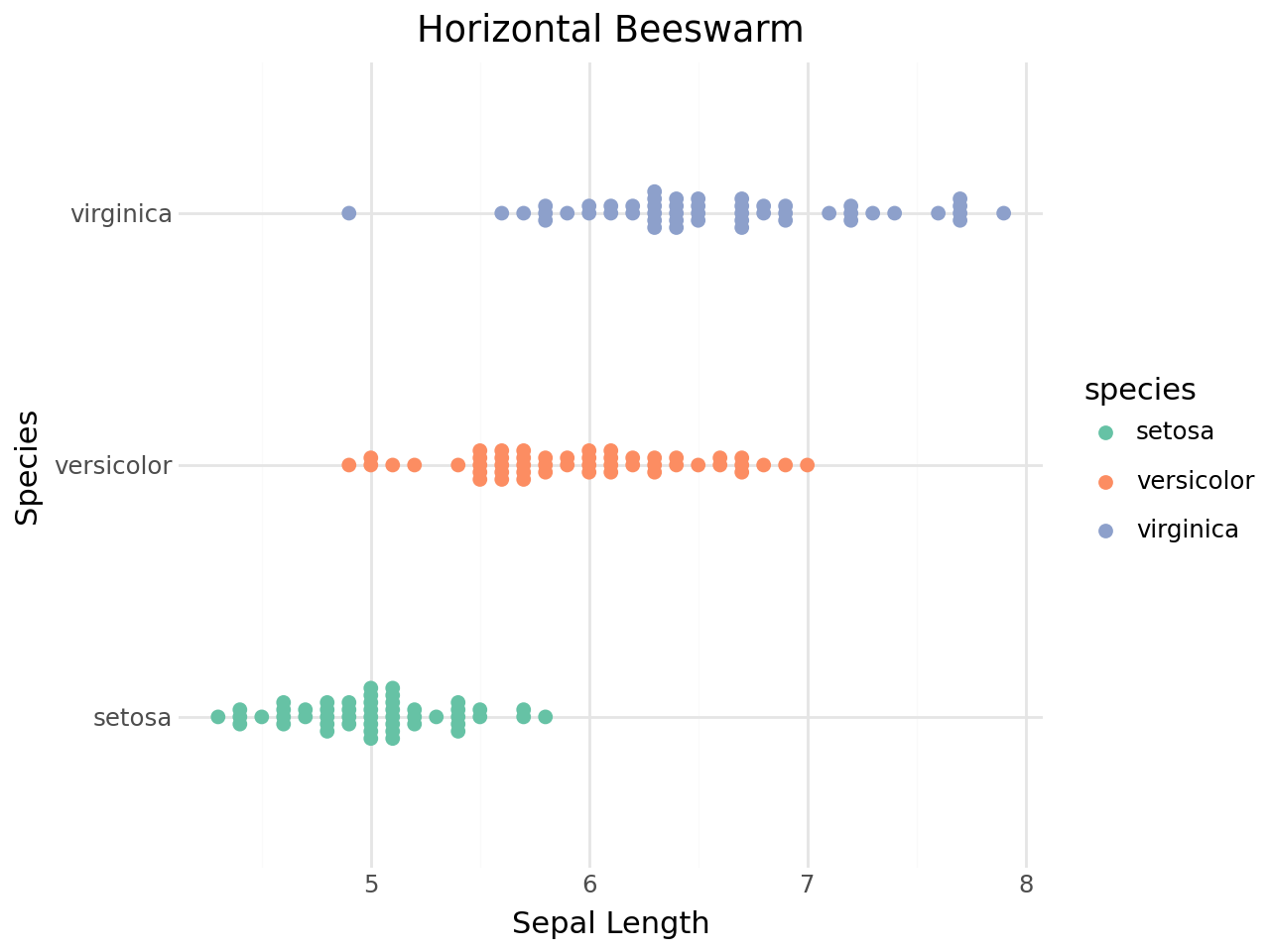
Use coord_flip() to produce a horizontal beeswarm plot.
[16]:
(
    ggplot(iris, aes(x="species", y="sepal_length", color="species"))
    + geom_beeswarm(size=2)
    + scale_color_brewer(type="qual", palette="Set2")
    + coord_flip()
    + labs(
        title="Horizontal Beeswarm",
        x="Species",
        y="Sepal Length",
    )
    + theme_minimal()
)
[16]:
Priority ordering
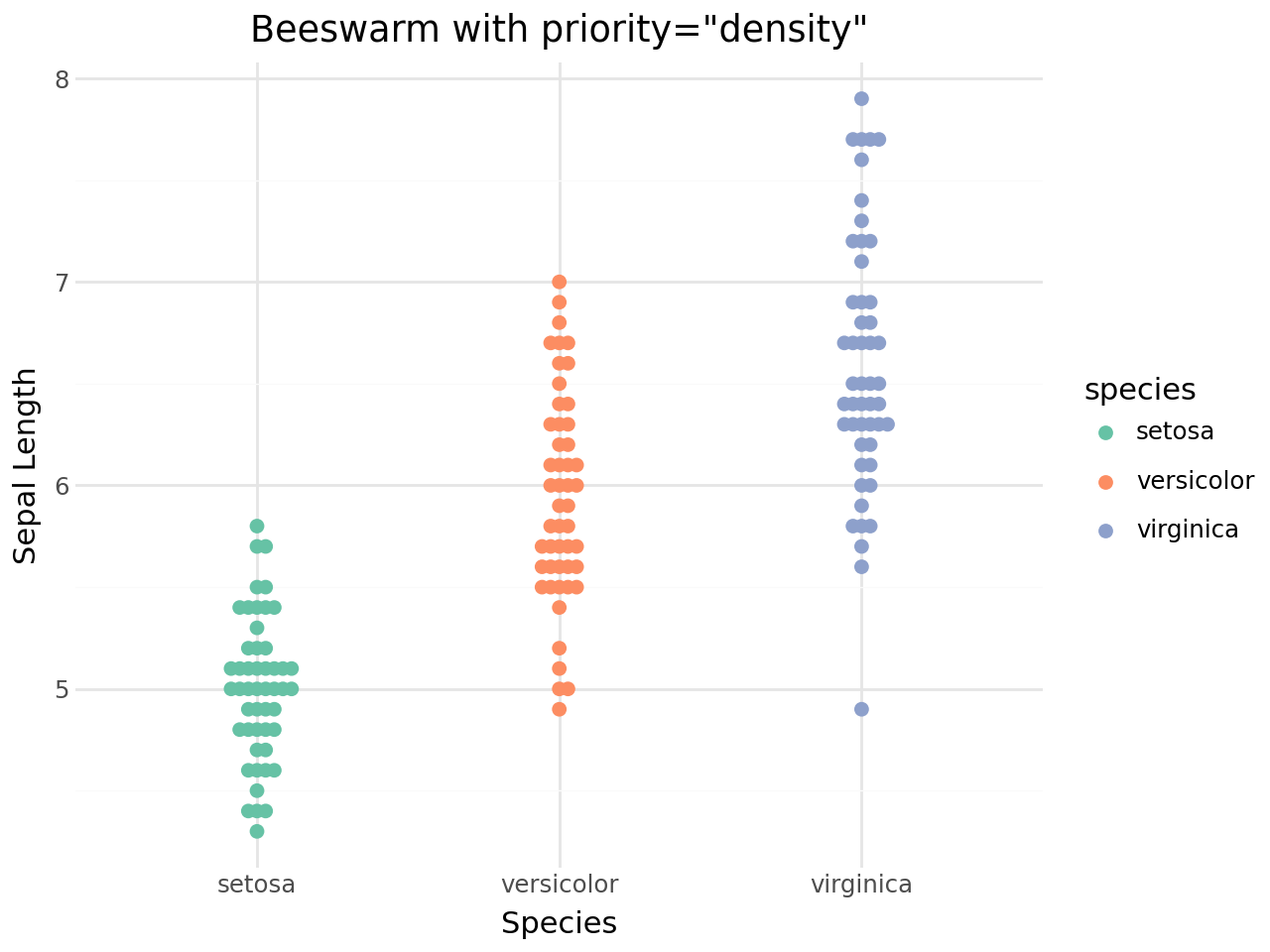
The priority parameter controls the order in which points are placed in the swarm. This affects the final shape:
Priority |
Description |
|---|---|
|
Points placed from smallest to largest (default) |
|
Points placed from largest to smallest |
|
Dense regions placed first |
|
Random placement order |
|
Data order preserved |
[17]:
(
    ggplot(iris, aes(x="species", y="sepal_length", color="species"))
    + geom_beeswarm(priority="density", size=2)
    + scale_color_brewer(type="qual", palette="Set2")
    + labs(
        title='Beeswarm with priority="density"',
        x="Species",
        y="Sepal Length",
    )
    + theme_minimal()
)
[17]:
Corral (handling runaway points)
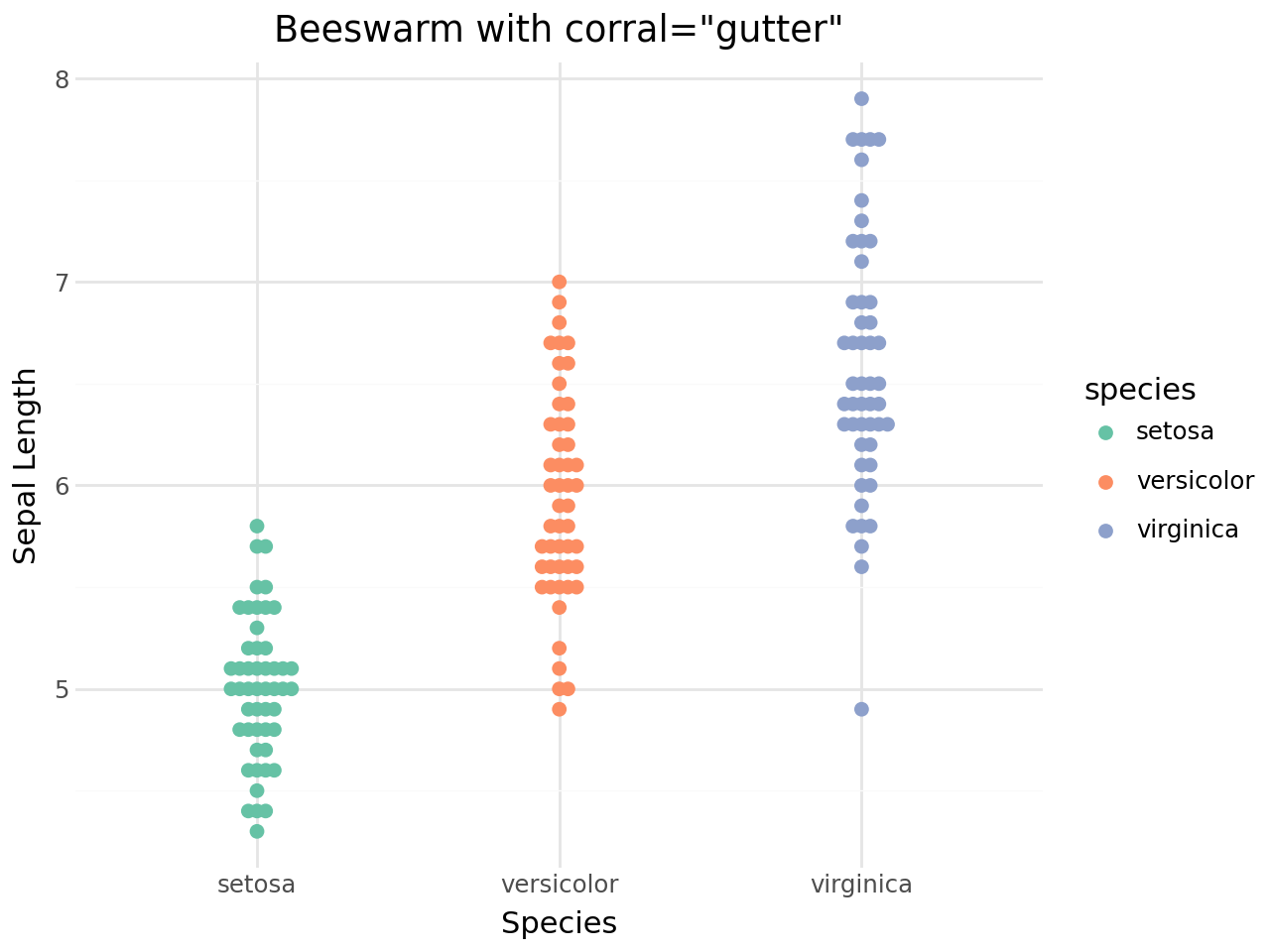
When groups are very dense, some points may extend far from the group centre. The corral parameter offers several strategies to rein them in:
Corral |
Description |
|---|---|
|
No correction (default) |
|
Clamp to corral boundary |
|
Wrap periodically |
|
Random placement within corral |
|
Remove runaway points |
[18]:
(
    ggplot(iris, aes(x="species", y="sepal_length", color="species"))
    + geom_beeswarm(corral="gutter", corral_width=0.4, size=2)
    + scale_color_brewer(type="qual", palette="Set2")
    + labs(
        title='Beeswarm with corral="gutter"',
        x="Species",
        y="Sepal Length",
    )
    + theme_minimal()
)
[18]:
Covered options
This vignette covered:
geom_beeswarm()for collision-avoiding point placement.geom_quasirandom()for density-aware quasi-random jitter.Standard
geom_point()aesthetics (color,size,alpha,shape, etc.).Layering with
geom_boxplot()orgeom_violin().Layout controls:
cex,side,priority,method, andcorral.Constructor validation: invalid
method,priority,side, orcorralvalues raiseValueErrorinstead of falling back silently.